Try every part, right here.
Sample policies, nothing sent anywhere, nothing saved. Pick a part on the left.
Drop a PDF and watch it read.
Drag a sample PDF onto the drop zone, or tap it. It is read into your book and joins Today.
Samples with made-up details. Your own PDFs are read once you start free.
Ask your book.
Type a question the way you would say it, or tap the microphone. Answered here from a sample of twelve customers.
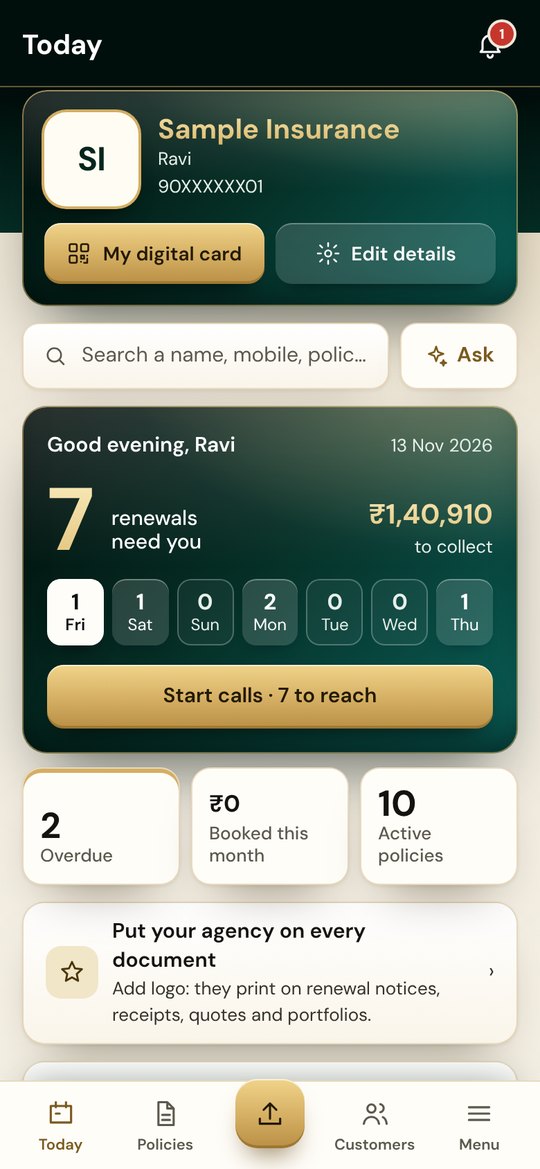
Your morning, already sorted.
Send a reminder in their language, call, and mark what happened. Swipe a customer right for Renewed, left for Call back.
Your customer gets a page.
Tap anything on the customer’s phone and see what lands with you.
Hello Rohit
- Nothing yet. Tap a button on the customer's page.
A year with one customer.
Between renewals, Today tells you who is due a small touch, with the message ready. Play Rohit’s year, or tap a moment.
Everything in the book.
Payments, leads, commissions, reports and your team. What each plan includes is under Pricing.
Reading
- Policy PDFs, many at once, and photos of paper policies
- Locked PDFs, with a hint you type once; the rule is remembered per insurer
- Renewal notices, matched to the policy they renew
- Your old book from Excel or CSV, with undo
- Fields it is not sure of are marked for you to check, never guessed
Customers
- Seven reminder days on WhatsApp, in English, Gujarati or Hindi
- Welcome, mid-term check, birthday and festival greetings with your name
- A private page for each customer: renew, documents, claims, referrals
- Families together, with a portfolio PDF and what to offer next
- Claims and endorsements tracked stage by stage
- Customers who passed away are never messaged
Your office
- Today: due, overdue, follow-ups and a call run, riskiest first
- Payments with receipts; a bounced cheque is cancelled cleanly
- Leads from a form link you share, and quotes side by side
- Commission expected against received, TDS, insurer statements matched
- 14 reports and charts, downloadable in Excel
- A team with roles; each agent sees their own book
The real app, screen by screen.
On a phone it has tabs at the bottom; on a computer, a sidebar.